
Maze Clear: Tap Away Puzzle
Flyfox GamesPuzzle
4.91.10K Reviews
- Version
- 1.2.4
- Installs
- 1.00M
- Age Rating
- Everyone
Screenshots
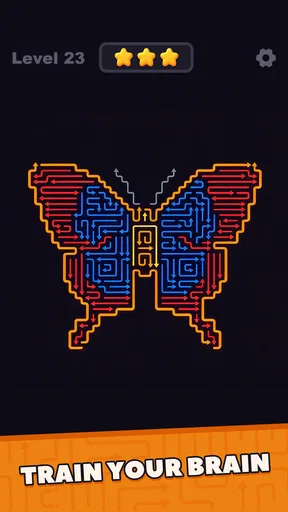
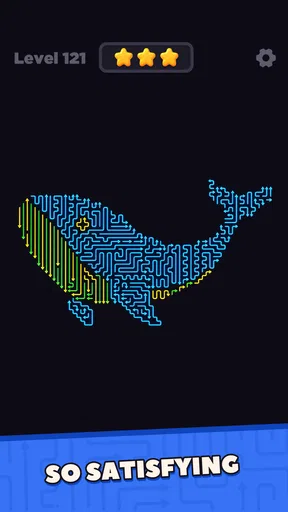
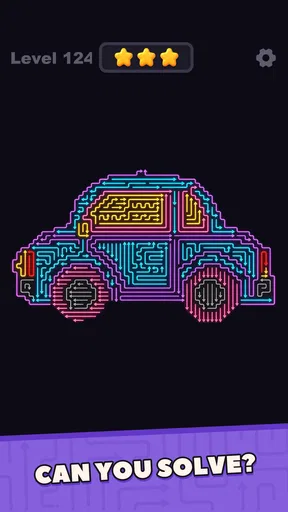
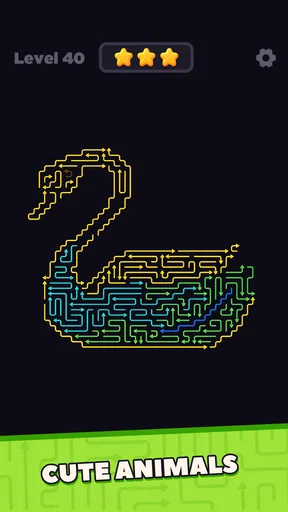
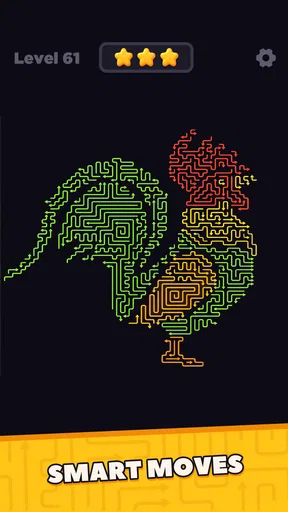
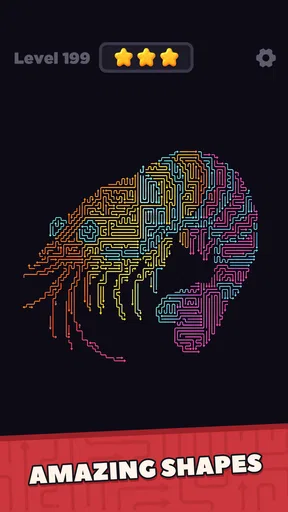
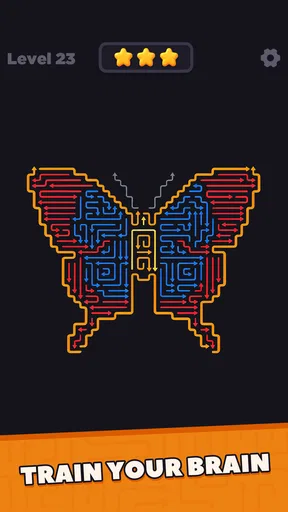
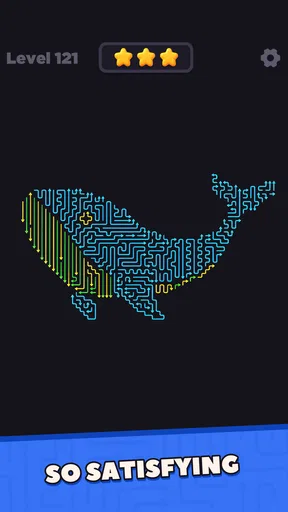
Our Review of Maze Clear: Tap Away Puzzle
 Analysis by Appyee
I went into Maze Clear: Tap Away Puzzle expecting a simple time-filler, and that is exactly where its appeal begins. This is a free puzzle game from Flyfox Games built around clearing a maze by tapping arrows in the right order. The idea is easy to understand within seconds, but the small decisions become more interesting once the board starts restricting which moves are available. It is the kind of game I can open for a short break without first learning a complicated system.
The store summary describes it as a relaxing way to train your brain, and my experience fits that general direction, although “relaxing” depends on how patiently you play. The opening interaction feels calm because each tap has a visible purpose. Later, the challenge comes from resisting the urge to tap the first arrow that looks useful. A careless move can leave the remaining path awkward, so the real activity is less about speed and more about reading the board before committing.
That makes it a good match for people who enjoy compact logic puzzles rather than long adventure campaigns. There is no need to remember a story, manage a character, or prepare for a lengthy session. I can play while waiting for an appointment, during a short commute, or when I want something more active than scrolling but less demanding than a full game. It is also suitable for Everyone, which makes the presentation approachable for a broad audience.
How the basic puzzle loop feels in everyday play
The baseline workflow is straightforward: look over the maze, identify arrows that can move without being blocked, and tap them to open a route through the remaining layout. The important habit is to pause before the first move. I found that the board gives enough visual information to reward observation, but not so much that every solution is obvious immediately. The most satisfying moments come from spotting a sequence that clears several obstacles without needing random experimentation.
I usually begin by scanning the outside edges and the areas with the fewest apparent escape routes. This does not mean every edge arrow should be tapped first. Instead, I use those positions to understand which pieces are dependent on others. An arrow that looks ready may actually be the piece that keeps a central route organized, while a less obvious move can unlock several later choices. Treating the board as a set of connected decisions is more reliable than chasing the most visible arrow.
For a realistic everyday example, imagine opening the game during a five-minute wait. I would not try to rush through the first puzzle just to finish before the appointment. I would make a quick scan, take the obvious safe move, and then reassess the board after each change. If I get interrupted, the short-session format makes it easy to return without having to reconstruct a complicated storyline. That makes the game more practical than puzzle titles that require a long uninterrupted block of attention.
The tap control is also the reason the game feels accessible. There is no elaborate gesture vocabulary to memorize, and the central action is immediately clear. Still, simple controls do not remove the need for care. A tap made too quickly can be frustrating when it commits you to a sequence you had not fully considered. I recommend slowing down on crowded layouts, especially when two arrows appear to compete for the same opening.
One useful repeatable routine is to divide each puzzle into three checks. First, I look for moves that are visibly free. Second, I inspect what those moves will expose or block. Third, I decide whether the next tap preserves more options than the alternatives. This routine is more dependable than trying to solve the entire maze mentally before touching the screen. It also keeps the game relaxing because each decision has a manageable scope.
The strongest part of the loop is that it turns a very small action into a visual planning exercise. I am not simply matching colors or searching for a hidden word. I am watching the board change and adjusting my plan. That gives the game more staying power than its one-line premise might suggest, even though the basic action remains intentionally narrow.
Settings and play habits worth checking
Because the main attraction is the puzzle interaction, I would begin by checking the available in-game settings before settling into regular play. I do not treat a settings screen as decoration: sound, vibration, and other presentation controls can change whether a puzzle feels calming or distracting. If I am playing in a quiet waiting room, I prefer to reduce anything that could draw attention. At home, I may leave feedback enabled because it helps confirm that a tap registered.
I would also check whether the current version, 1.2.4, is installed before judging the game’s behavior. Version details matter when a title relies on precise taps and visual feedback, since a small interface change can affect comfort even when the underlying puzzle idea is unchanged. The game supports Android 7.0 and later, so it is not restricted to only recent devices. On an older phone, I would pay attention to touch response and screen readability rather than assuming every difficulty comes from the puzzle itself.
There is a practical difference between playing with audio as part of the experience and playing silently. With sound on, feedback can make each successful action feel more deliberate. With sound off, I can concentrate on the geometry of the maze and avoid turning a short break into a noisy one. I would choose the second approach for public spaces and the first when I want the game to feel more like a complete relaxation activity.
Another worthwhile habit is to keep the phone steady when examining a dense board. This sounds minor, but the game asks for accurate visual interpretation, and a moving screen makes it easier to mistake a blocked direction for an open one. I also prefer a comfortable brightness level rather than maximum brightness. The puzzle depends on distinguishing arrows and spaces, so eye strain can make a manageable board feel unnecessarily difficult.
The game is free to download, which lowers the barrier to trying it. It includes in-app purchases priced at $7.99 per item, so I would review the purchase controls before handing the device to a child or letting someone else play on my account. That is not a criticism of the puzzle mechanic itself, but it is an important part of deciding how to use a free game responsibly. If I only want occasional puzzles, I would first see whether the free experience already suits my routine before considering any optional spending.
I would not build my play around chasing the public rating or the install count. Those figures show that the game has attracted a large audience, with an average rating of 4.9 from around 95 thousand ratings and more than a million installs, but they do not replace personal testing. Some players will value the calm tap-based format, while others will find the repeated maze structure too narrow. The best settings are the ones that make the board readable and the session comfortable for your own habits.
Faster solving without turning the game into a race
Experienced play is less about tapping quickly than reducing unnecessary taps. My first improvement would be to stop treating every available arrow as equally valuable. When several moves are possible, I look for the one that reveals the most information or preserves the largest number of future choices. This makes the next stage easier to read and reduces the chance of creating a dead-end feeling.
A second useful pattern is to follow dependencies from the outside toward the center, then reverse direction when the center opens. The exact order varies by board, so I would not use this as a rigid formula. It is a way to organize attention. Outer pieces often show how the maze is constrained, while central pieces can determine whether the remaining route stays flexible. Switching between those perspectives is more effective than staring at one crowded area for too long.
I also recommend using a “pause after change” rule. After a tap alters the layout, I take a moment to redraw the situation mentally instead of immediately repeating the previous rhythm. This avoids one of the most common mistakes in tap puzzles: assuming that the board still behaves as it did one move earlier. A successful action can create a new opening, but it can also remove a convenient option elsewhere.
Another advanced habit is to identify reversible-looking choices and treat them cautiously. Even when a move appears harmless, it may change the order in which other arrows can be cleared. I ask myself whether the move creates access or merely removes a piece. If it only removes a piece without improving the route, I often inspect another option first. That small distinction helps separate purposeful progress from activity that merely makes the board look emptier.
For players who enjoy improving their consistency, it can help to notice the first point where a puzzle becomes confusing. Instead of only celebrating a successful finish, I pay attention to the decision that caused hesitation. Was the board hard to read? Did I choose a move before checking its consequences? Did I fail to notice a blocked direction? Naming the problem turns a vague mistake into a repeatable lesson for the next maze.
These habits also explain why I would not compare this game directly with a traditional crossword or a large match-three title. A crossword rewards vocabulary and longer-form deduction, while match-three games usually emphasize pattern recognition within a changing grid and may encourage rapid chains. Maze Clear is quieter and more spatial. Its satisfaction comes from sequencing directional choices, so it is better for someone who enjoys planning than for someone seeking constant visual effects or competitive speed.
It also differs from a standard maze game controlled by moving a character. Here, the focus is on clearing the board through taps rather than navigating an avatar through continuous space. That makes the experience easier to pick up, but it also means there is less variety in the moment-to-moment action. If you want exploration, story, or a sense of physical movement, another puzzle format will probably feel richer. If you want a compact logic problem that starts immediately, this narrower design is a strength.
Where the simple design reaches its limits
The same focus that makes the game approachable can eventually feel repetitive. The central action remains tapping arrows to clear a maze, and players who need new mechanics, narrative progression, or a wide range of puzzle types may run out of reasons to continue. I see it as a dependable pocket puzzle rather than a complete replacement for every other game on a phone.
There is also a tension between relaxation and mistakes. The presentation invites a calm pace, but the board can punish impulsive decisions by making the remaining route harder to interpret. That is not necessarily unfair; it is the source of the puzzle’s challenge. Still, someone looking for a completely passive stress reliever may prefer a game with no meaningful consequences for tapping in the wrong order.
Screen size can affect comfort as well. On a larger display, arrows and corridors are easier to inspect at a glance. On a smaller or older screen, the visual relationships may require more concentration, and accidental taps can feel more likely simply because the layout is compact. I would test a few puzzles before deciding whether the game is comfortable on a particular device, especially if I intend to play one-handed.
The age rating of Everyone makes the concept broadly accessible, but that does not mean every player will enjoy the same level of mental friction. Younger players may benefit from the clear tap interaction, while adults may appreciate the short breaks between more demanding tasks. At the same time, people who prefer competitive leaderboards, social play, or a strong sense of progression should look elsewhere. This is fundamentally a solo, board-focused experience in spirit.
The optional purchase price of $7.99 per item is another reason I would keep expectations clear. Free entry is helpful for sampling the game, but I would not assume that spending automatically fixes the core limitation of repetition. I would only consider a purchase if it directly supports the way I already enjoy playing. For a person who wants a few quiet puzzles now and then, the free starting point is the sensible first step.
Finally, the release date of April 30, 2026 gives the game a relatively recent position in its current form, but I would still judge it by the quality of its present interaction rather than by novelty alone. Newness can make a simple idea feel fresh for a while; lasting value depends on whether the puzzle loop remains satisfying after the first impression fades. In my view, it does that best when used in short sessions and approached as a small daily exercise, not as an all-day game.
My verdict for different kinds of players
I recommend Maze Clear to anyone who likes spatial logic, short sessions, and controls that can be understood immediately. It is particularly suitable for filling small gaps in the day because a puzzle does not require a long setup or a complicated strategy guide. The best results come from patient scanning, deliberate taps, and a willingness to reconsider the board after every meaningful change.
I would skip it if your ideal puzzle game needs a story, character development, multiplayer competition, or a constantly changing set of mechanics. I would also choose a different option if you dislike puzzles where one rushed decision can make the remaining layout feel less comfortable. This game is not trying to be a broad entertainment package, and its narrow focus will be either its biggest advantage or its clearest weakness.
For my own routine, the winning approach is simple: check the presentation settings, play with a steady screen, scan before tapping, and judge each move by the options it leaves behind. That workflow makes the game feel more thoughtful than its one-touch premise suggests. It also keeps the experience from becoming a reflex test, which is where I think its real value lies.
With over a thousand reviews and a 4.9 average, it is clear that the format has found an audience, but my recommendation is based on the play style rather than the popularity. Flyfox Games has kept the idea focused: arrows, mazes, and careful sequencing. If you want a free puzzle for calm, repeatable brain breaks, this is a strong choice; if you want variety and spectacle, its simplicity will probably become a limit.
Overall, I see it as a useful little game to keep installed for waiting rooms, quiet evenings, and moments when I want to exercise attention without committing to a large experience. It does not replace deeper puzzle games, but it does not need to. Its mastery comes from learning to read the board, preserve options, and tap with intention. That is enough to make each short session feel purposeful rather than merely disposable.
Verdict
Strengths of Maze Clear: Tap Away Puzzle
- Simple tap-to-clear controls are easy to learn and use.
- Short levels make it convenient for quick gaming sessions.
- Progressive puzzles provide a gentle increase in challenge.
- Offline play is useful when you have limited or no internet.
- Minimalist visuals keep the board easy to read.
Limitations of Maze Clear: Tap Away Puzzle
- Later puzzles can feel repetitive after extended play.
- Some stages may rely more on trial and error than strategy.
- The game may offer limited variety beyond its core mechanic.
- Ads can interrupt the flow between levels.
- Players seeking competitive features may miss leaderboards or multiplayer.
Other Releases by Flyfox Games
View All
Water Sort: Color Tube Puzzle
Puzzle4.9

Water Sort! 3D Color Match Puz
Puzzle4.9

Triple Harvest™: 3D Match Game
Puzzle4.9
Similar Picks in This Category
View All
Block Blast!
HungryStudio4.8

Braindom: Brain Games Test
Lahana Game Studio4.6

AMAZE!
CrazyLabs LTD4.6

Sudoku - Classic Sudoku Puzzle
Oakever Games4.7

Art Puzzle - Puzzle Games
Easybrain4.8

Amaze GO!
Oakever Games4.9
Frequently Asked Questions
What is Maze Clear: Tap Away Puzzle, and how is the gameplay structured?
Maze Clear: Tap Away Puzzle is a casual puzzle game based on clearing paths and moving blocks in the correct order. Each level presents a maze-like arrangement where you must tap or remove pieces without creating an obstruction. The early stages are designed to teach the mechanics, while later puzzles require more planning, spatial awareness, and careful attention to the available routes.
Is Maze Clear: Tap Away Puzzle easy to learn for beginners?
Yes, the basic controls are simple enough for most players to understand quickly. Tapping a movable piece is generally all that is required, but solving the level successfully depends on choosing the right sequence of moves. Beginners can start with the introductory puzzles, although the difficulty gradually increases and some stages may require restarting after an incorrect decision.
Does the game require an internet connection to play?
Maze Clear: Tap Away Puzzle may be suitable for short offline sessions, particularly when you want to play a few puzzle levels without using mobile data. However, online access can still be necessary for advertisements, optional rewards, updates, or other connected features. Availability may vary by device version, so it is best to test offline play after installation.
Are there advertisements or in-app purchases in Maze Clear: Tap Away Puzzle?
As with many free-to-download puzzle games, Maze Clear: Tap Away Puzzle may include advertising between levels or when you choose to claim optional bonuses. Some versions may also offer in-app purchases, such as removing advertisements or obtaining hints. Before downloading, review the store listing and purchase settings, especially if children will be using the device.
Is Maze Clear: Tap Away Puzzle appropriate for children and casual players?
The game is generally appropriate for casual players because its controls are straightforward and its challenges focus on logic rather than fast reactions or combat. It can also provide a useful way to practice planning and visual reasoning. Parents should nevertheless check the age rating, advertising content, and possible in-app purchases before allowing younger children to play independently.
Play our best games!


